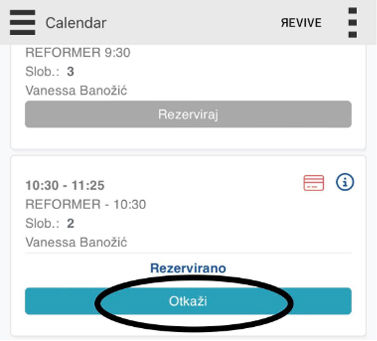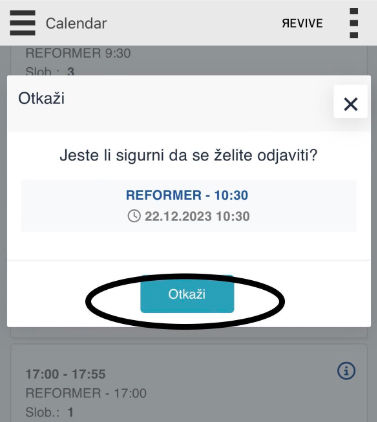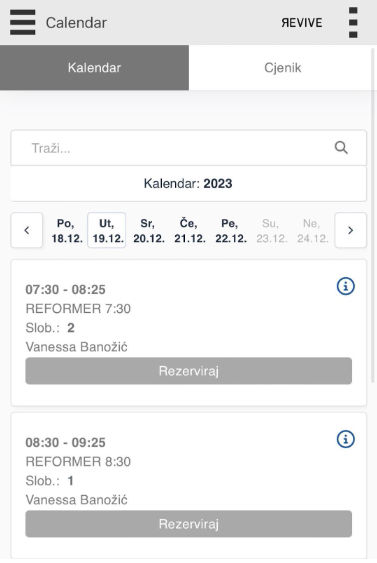
Attending the class is only possible by booking through the application.
We use the Studionaut app and below are all the instructions.
1. REGISTRATION
First you need to register on the link. Download the "Studionaut" application to your mobile via Google Play Store or Apple Store. After that, log into the application with the email address and password you entered during registration.
2. PURCHASE AND BOOK THE CLASS
New member - you will receive an email with instructions and the possibility of booking an first class (drop in).
Existing members - When your current package is about to expire, contact us at
[email protected] with an info: which package you want to use next (from which date).
After you pay, we will activate your package.
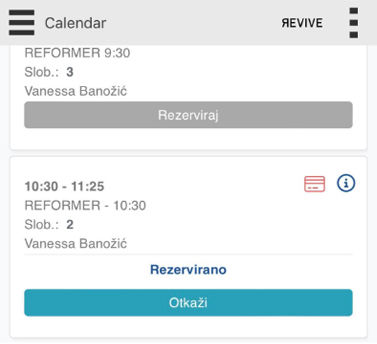
Then book the class or classes you want to participate in under the “CALENDAR”, which are
included in the package of the selected membership fees. So, when making a reservation,
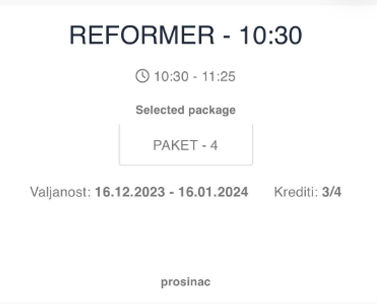
you choose which package you use.
3. BROWSER
CALENDAR - Here you book a class/clases, add yourself to the waiting list or cancel a class
MY CALENDAR - Insight how many classes you have done, when are your next booked classes
CREDITS - How many appointments you have available (how much of the package you have used and how much is left).
4. RESERVATION CONDITIONS
Cancellation: Class reservations can be cancelled up to 24 hours prior to start time with no charge. If you do not cancel (unsubscribe) on time, you will be charged for the missed class.
This allows us to offer your place to another customer who is on the waiting list.